> ## Documentation Index
> Fetch the complete documentation index at: https://specterops-fetch-json-component.mintlify.site/llms.txt
> Use this file to discover all available pages before exploring further.
# SharpHound Enterprise Tenant Configuration
 ## Configuration location
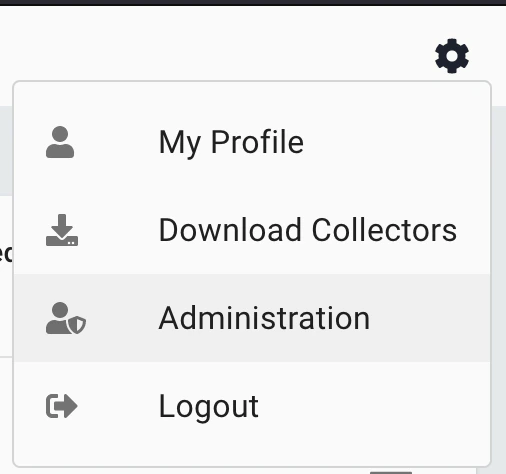
1. Tenant configuration of SharpHound Enterprise occurs within the Config -> Administration -> Manage clients view.
## Configuration location
1. Tenant configuration of SharpHound Enterprise occurs within the Config -> Administration -> Manage clients view.
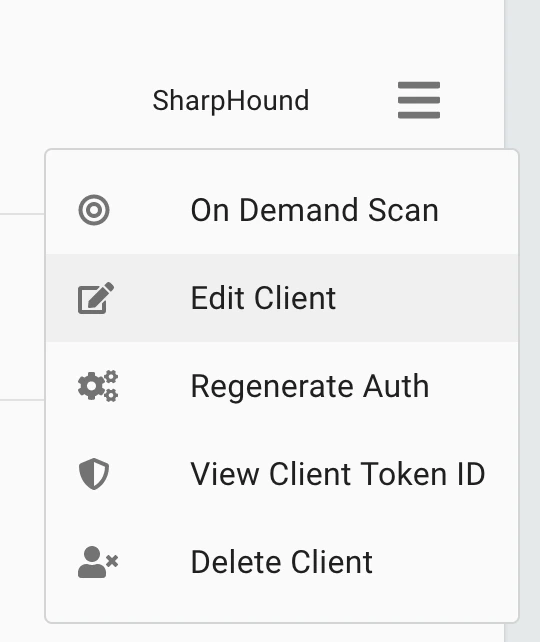
 2. Click on the hamburger menu on the right-hand side of any SharpHound collector to see the options available.
 ## Configure Options
### On Demand Scan
Kick a collection off immediately. See [Run an On Demand Scan](/collect-data/enterprise-collection/on-demand-scan)
### Edit Client
Opens the client modification dialog, providing multiple options:
## Configure Options
### On Demand Scan
Kick a collection off immediately. See [Run an On Demand Scan](/collect-data/enterprise-collection/on-demand-scan)
### Edit Client
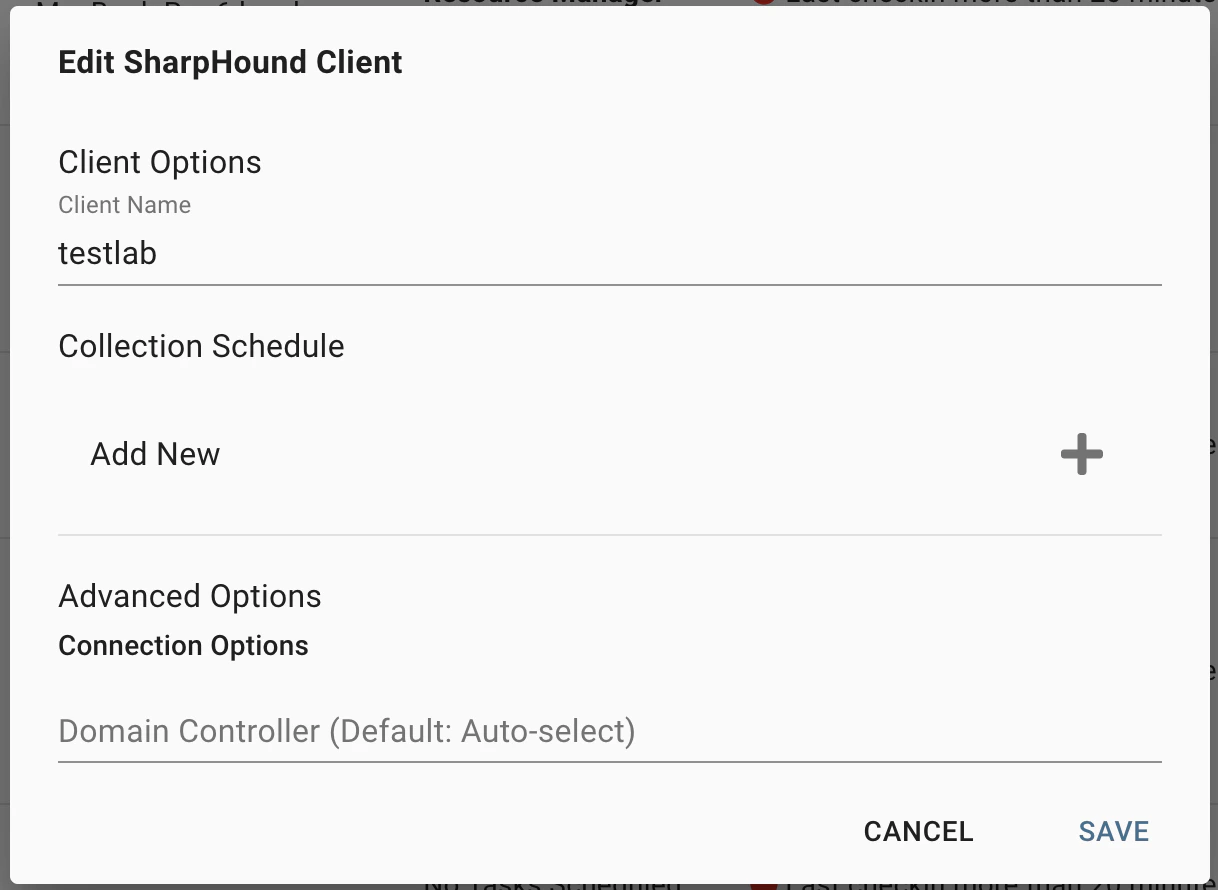
Opens the client modification dialog, providing multiple options:
 | **Option** | **Description** |
| ------------------------------------- | ---------------------------------------------------------------------------------------------------------------------------------------------------------------------------------------------------------------------------------------------------------------------------------- |
| Client Name | An identifiable name for the collector. Many customers utilize the name of the domain it collects from or the system it runs on. |
| Collection Schedule | Click the + sign to add a new schedule or the - sign to delete a schedule. |
| Advanced Options -> Domain Controller | By default, SharpHound automatically selects a Domain Controller for LDAP queries. Specifying a Domain Controller hostname or FQDN here will define the default value utilized on all scheduled collections.
| **Option** | **Description** |
| ------------------------------------- | ---------------------------------------------------------------------------------------------------------------------------------------------------------------------------------------------------------------------------------------------------------------------------------- |
| Client Name | An identifiable name for the collector. Many customers utilize the name of the domain it collects from or the system it runs on. |
| Collection Schedule | Click the + sign to add a new schedule or the - sign to delete a schedule. |
| Advanced Options -> Domain Controller | By default, SharpHound automatically selects a Domain Controller for LDAP queries. Specifying a Domain Controller hostname or FQDN here will define the default value utilized on all scheduled collections.
We recommend not configuring a Domain Controller manually. |
## Collection Scheduling
Collectors support multiple schedules, however, can only run a single job at any time.
## Scanning
Both the On Demand Scan option and the schedule window provide the same options for scanning.
| **Option** | **Description** |
| ------------------------------------------------------------------------ | ----------------------------------------------------------------------------------------------------------------------------------------------------------------------------------------------------------------------------------------------------------------------------------------------------------------------------------------------------------------------------------------------------------------------------------------------------------------------------------------------- |
| Data (Required) | Multi-select option for the different types of collection available. See [SharpHound Data Collection and Permissions](/collect-data/permissions) for details on the data collected and permissions necessary for each. |
| Domain controller | By default, SharpHound automatically selects a Domain Controller for LDAP queries. Specifying a Domain Controller hostname or FQDN here will define the default value utilized on this schedule.
If not set, SharpHound will utilize the value set in the client configuration.
We recommend not configuring a Domain Controller manually. |
| Target Local Group and/or User Session Collection by Organizational Unit | Define one or more OUs within a domain to only collect Local Group and Session data from computers contained within the specified OUs and their descendants.
If left empty, *SharpHound will collect from all OUs.*
If defined, the schedule or On Demand Scan will not collect AD structure data. A dedicated schedule or On Demand Scan must therefore be created for AD structure collection.
*Note: Not supported with multi-domain collections.* |
| Scope Collection to Multiple Domains | Utilize trust relationships in your environment to collect data from multiple domains.
If left empty, SharpHound will collect from the domain to which the Service Account belongs.
SharpHound supports two options:
\* Define a specific list of domains from which to collect data.
\* Collect data from all domains within the forest that the SharpHound service account belongs.
*Note: Multi-domain collections cannot be scoped by OU.* |